

Slack Marketplace lists over 2,600 apps (Slack integrations), and Slack’s own documentation puts the average enterprise customer at 52 installed apps (Slack Marketplace data). Behind those two numbers sits a real budget question: every app you add either saves your team minutes per day or steals hours per week in notifications nobody reads. The difference is not luck. It is a shortlist.
That is the thesis of this article: in an agile workflow Slack is the room where work happens, and the right fifteen integrations keep tasks, standups, votes, estimates and documents inside that room. Add fewer and information leaks back into side tabs. Add more and the room floods. The five below are the ones we keep coming back to in day-to-day delivery work, together with the criteria that decide when each of them earns its install.
Why does Slack sit at the center of agile work?
Agile delivery runs on short cycles. Teams commit to a sprint, meet daily to re-plan around new information, and close the loop with reviews and agile retrospectives. Every one of those events produces small, urgent messages: a blocked ticket, a changed estimate, a client remark that arrived mid-sprint. If those messages land in email, the average reaction time stretches from minutes to hours, and a sprint can absorb a full day of idle waiting without anyone noticing it in the burn-down chart.
Slack compresses that delay. Channels map cleanly to the way agile teams organize: one channel per project or workstream, private channels for client-sensitive threads, group messages for one-off decisions. The searchable history means an agreement reached on Tuesday stays findable in week six, and that matters more than it sounds when a client asks why a feature changed scope. Anyone who has learned to work in sprints knows that most of the value is created in the gaps between meetings, and those gaps live in chat.
The platform itself does little more than provide rooms and a log. The real leverage comes from apps that push work events into those rooms. That is where the marketplace comes in.
Five apps that run the daily sprint
We have tested far more over the years and kept the ones that solve a single problem each, without trying to own the whole workflow. Here is the shortlist.
Asana: the task tracker that lives where decisions happen
Asana handles task and project management, and its Slack integration closes the gap between talking about work and recording it. A message can be converted into a task in two clicks, notifications about assignments and due dates arrive in a channel you choose, and task details stay readable without opening Asana. The mechanism that matters here is state mirroring: the channel reflects the tracker’s reality instead of someone’s memory of reality, so “who owns this?” stops being a question anyone has to ask.
The trade-off is notification multiplication. If ten team members follow the same project link, every status change hits every member. Connect one project to one dedicated channel and leave the rest disconnected.
DailyBot: standups without a meeting
DailyBot runs asynchronous check-ins: it asks each member a set of questions in the morning and posts a compiled report once everyone has answered. For teams spread across time zones, that replaces a 15-minute call with a written digest. It also handles kudos, mood tracking and quick forms, which extends its use well beyond the daily standup.
The risk vector is question fatigue. A daily check-in with five questions per person produces a wall of text that nobody reads by week three. Keep it to three questions and skip days that follow a public holiday.
Polly: decisions that need a number
Polly brings structured votes and surveys into channels. Teams use it to pick a release date, settle a design dispute or rank backlog items, and the result lands as a chart everyone can reference later. Voting is asynchronous by design and can be anonymous, which surfaces the junior developer’s real opinion instead of the loudest voice in the room.
It is easy to overuse. A vote needs context, and context needs words. When a poll replaces an actual discussion, the team optimizes for convenience and gets decisions nobody understands a month later. Use it after a short written exchange, not instead of one.
Poker Planner: estimates that survive the meeting
Planning poker remains one of the more honest estimation practices: each member picks a size in secret, all cards turn at once, and the first speaker never gets to anchor the rest. Poker Planner runs this inside Slack with sessions in public or private channels, customizable point scales, automatic reveal and average calculation.
It works best with a small team and a backlog split into deliverable pieces. With eight or more participants the reveal turns into a negotiation, so cap the session or split the group.
Google Drive: documents without the version chase
The Drive integration lets members create, share and search files from the channel, receive notifications about changes, and reply to comments on documents from Slack. The practical gain shows up during reviews: a specification linked in the channel carries its access rights with it, so nobody spends the first ten minutes of a sprint review locating “the latest version”. The risk hides in access control. A file shared into a client project channel becomes visible to people who should not see the invoice attached to another project. Default to narrow sharing and widen deliberately.
How does the daily five compare at a glance?
| App | Job it owns | Install when | Skip when |
|---|---|---|---|
| Asana | Task state inside the channel | Tasks are decided in conversation | Your tracker already posts to Slack natively |
| DailyBot | Async standups and kudos | Team spans time zones | Everyone shares one office and meets daily anyway |
| Polly | Structured votes and surveys | Decisions need a recorded number | The question needs a discussion first |
| Poker Planner | Team estimation sessions | Sprints start with joint estimates | Estimates come from one senior person |
| Google Drive | Files, comments and change alerts | Specifications circulate weekly | Documents live in a different system |
Read the table as an axis split rather than a ranking. Each row owns one type of work, and two rows rarely compete with each other, which is why a team of five can run all five integrations without overlap.
Ten more that extend coverage: code, incidents and feedback
The five apps above cover the daily rhythm of a sprint. A delivery team, however, spends its day in more rooms than one: issues, repositories, incidents, and client feedback all flow through Slack too. These ten integrations are the ones we see doing real work in software teams, grouped by the job they own.
Project management
| App | What it does in Slack | When it fits |
|---|---|---|
| Jira Cloud | Creates, edits and transitions issues from a Slack message with slash commands, and posts issue updates into channels so nobody asks “what’s the status of XYZ?” | Your backlog already lives in Jira and the team keeps flipping between tabs |
| Trello | Turns messages into cards and posts card movements into channels, so a board updates itself while the team discusses work | Smaller teams that run on boards rather than heavyweight issue trackers |
Code and delivery
| App | What it does in Slack | When it fits |
|---|---|---|
| GitHub | Subscribes a channel to a repository: pull requests, reviews, issues and deployments arrive as rich messages with previews, and you can open an issue straight from a thread | Code review is a bottleneck and reviewers miss mentions buried in email |
| GitLab | Posts pipeline, merge request and issue events into channels, so the whole team sees a failing job the moment it fails | Your CI runs on GitLab and build status should be public to the room |
| Sentry | Delivers error alerts with stack traces and context the moment an exception appears in production, and lets you resolve the issue from Slack | Production errors should interrupt a channel, not a dashboard nobody watches |
Incident response
| App | What it does in Slack | When it fits |
|---|---|---|
| PagerDuty | Escalates on-call alerts into Slack with the right person paged, and keeps the incident channel informed as the alert moves through acknowledgement and resolution | You have an on-call rotation and an alert that reaches nobody at 3 a.m. is a real risk |
Async communication and feedback
| App | What it does in Slack | When it fits |
|---|---|---|
| Geekbot | Runs scheduled standups: it sends the questions to each member in their own time zone, collects answers and broadcasts the report to a channel, with participation stats on top | Distributed team, time zones kill the live daily, and you still want the ritual |
| Loom | Turns a recorded walkthrough into a shareable link that unfurls in Slack, so “let me show you” stops becoming a meeting | Demoing a bug or a feature beats describing it in three paragraphs |
| Marker.io | Collects website feedback through a widget that attaches a screenshot, browser and environment data and console logs, then delivers the issue into a Slack channel with status updates | Clients and testers report bugs in ways developers can actually reproduce |
| Zapier | Connects Slack to thousands of external services with no-code rules, posting a message whenever something happens anywhere else | The glue you need does not exist as a dedicated integration yet |
A practical note from our own delivery work: the mistake is not picking a bad app from this list, it is installing five that own the same job. Two standup bots, two issue trackers or two error-alerting tools multiply notifications, and the room stops reading them. One owner per job, and the rollout plan in the next section stays sane.
How do you roll the apps out without creating noise?
Three rules from practice keep a healthy workspace healthy.
- Restrict installation rights to admins, because the directory is open to every member by default and a workspace where anyone can add integrations grows a notification problem within a month.
- Give every integration a named owner: one person who reads its settings and answers for its configuration.
- Route notifications into dedicated channels instead of the main project room, so the conversation space stays human.
Cost matters as well. Slack’s own guide notes that lower-tier plans cap the number of installed apps, with the free plan allowing a handful and Pro extending the limit (guide to apps in Slack), and several marketplace apps gate their better features behind their own subscriptions. Budget both, and treat every new app as a recurring expense rather than a free feature.
Which app should you install first?
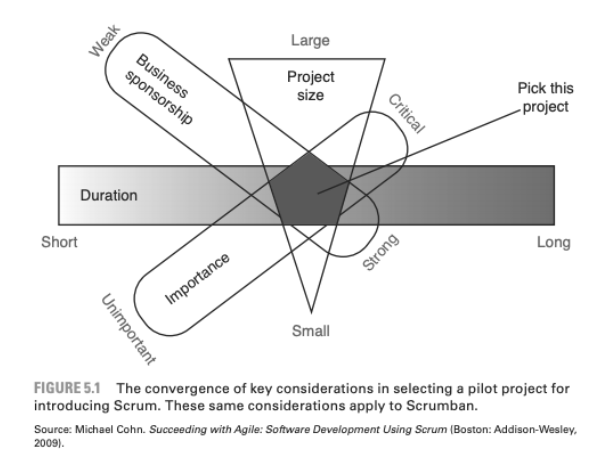
The one that removes the tab your team opens most often. For most product teams that is the task tracker, which is why Asana usually goes first. Standup bots follow once the team spans time zones, and voting appears when decision fatigue starts showing up in retros. Plan the order against your own bottleneck rather than the marketplace charts, and keep in mind that the right choice also depends on whether your team runs Scrum, Scrumban or Kanban, since each framework leans on different ceremonies.
One room, fifteen tools and a workflow that keeps its own history
The shortlist holds because each app closes one specific delay: Asana removes the gap between decision and record, DailyBot the gap between time zones, Polly the gap between opinion and number, Poker Planner the gap between silent and spoken estimates, and Drive the gap between conversation and document. Five of them close the daily sprint rhythm, the ten from the tables above cover code, incidents and feedback, and one recurring cost buys a history of decisions the team can actually search. If a ceremony itself feels like the bottleneck before any app does, look at AI-powered automation for agile teams before you keep installing around the problem.
And if none of the marketplace options fits your process, that usually means your workflow deserves its own integration. We build custom apps and deliver projects in agile teams ourselves, so we see both sides: what the marketplace covers and where it stops. Tell us which part of your sprint still leaks into side tabs, and we will tell you honestly whether an off-the-shelf app or a small custom build is the better answer.